Monitor Cisco Unified Communications for higher performance and availability with WildMetrix™

Maximize Cisco Unified Communications performance, availability, and reliability with WildMetrix Cisco Unified Communications monitoring solutions.

Cisco Unified Communications adminstrators can now gain the insight they need to make informed decisions based on the performance of Cisco Unified Communications's inner workings.  WildMetrix offers analytical data for messaging (Unity and Unity Express), services (CTI Manager, CallManager, Cisco Messaging Interface, etc.), Gateways and much more.  In addition, WildMetrix monitors interdependant network devices for bandwidth, Syslog and Traps giving additional insight into operational health and traffic details of Cisco Unified Communications. 

 Benefits of Monitoring Cisco Unified Communications with WildMetrix

  • Helps administrators proactively detect problems in their Cisco Unified Communications environment
  • Quickly diagnose exactly where and what the problems are
  • Resolves the problems from a single easy-to-use interface
  • Gain understanding of Cisco Unified Communications servers inside and out
Request a Demo or Get Evaluation Software
 

Cisco Unified Communications Monitoring
Cisco Unified Communications's architecture has many processes, services and other SNMP data and is highly dependent on good performing hardware. Monitoring Cisco Unified Communications's complexity requires continually looking at all elements involved to know and understand if health and performance is optimal. Each Cisco Unified Communications aspect is important including:
  • Gateway, Media Resource and PRI-D Channel status'
  • Registered Hardware Phones
  • Process Data for Directory Syncrination, CTI Manager and more
  • Processor Load, Storage Space, Drive Status, Physical Memory
  • Temperature, Fan, and Power Supplies
  • Syslog Errors, Warnings, and Informational Events
Customizable Cisco Unified Communications Dashboards
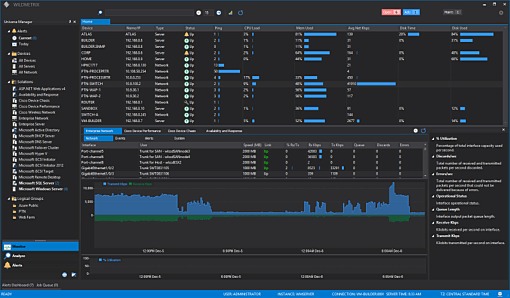
Live performance dashboards give you the performance metrics,  and events of Cisco Unified Communications in a single view with quick link access to powerful analytical charting. Dashboards include:
  • Cisco Unified Messaging Application Data
  • Cisco Unified Messaging Server Performance
  • Cisco Unified Messaging System and Process Data

Powerful Analytics

 
The tools make the difference when finding the root-cause of performance bottlenecks, application faults, and performing trend analysis. Analytical Charting features include:
  • Correlation of Live or Historical Data
  • Drill-Down, Zoom, and Statistic Lines
  • OpenGL 3D Surface Analysis
  • Live, Second, Minute, Hourly, and Monthly Data Periods
Powerful Monitoring Solutions
Deployment of pre-built monitoring solutions is as simple as Drag-n-Drop. Policies are customizable by adding performance counters and setting your desired collection and retention intervals as well as alerting rules.

The Cisco Unified Communications monitoring policy includes:
(click nodes to drill down)  
WildMetrix Monitoring Policies
  Cisco Unified Communications
  Application
  \SNMPe:CallManager()\Gateway Status


  Gateway Registration Alert
  \SNMPe:CallManager()\Media Resource Status


  Media Resource Alert
  \SNMPe:CallManager()\PRI D-Channel Status


  PRI D-Channel Out of Service
  \SNMPe:CallManager()\Gateways Status


  Gateway Registration Alert
  \SNMPe:CallManager()\PRI D-Channel Status


  PRI D-Channel Alert
  \SNMPe:CallManager\Registered Hardware Phones


  Registered Phones Low
  \SNMPe:Device\Registered Gateways
 
  The number of gateways that are registered and actively in communication with the local call manager.
  Processes
  \SNMPe:Process()\Running Count


  Process stopped
  \SNMPe:Process(acserver)\Running Count


  Process stopped
  \SNMPe:Process(CCMDirSync)\Running Count


  Process stopped
  \SNMPe:Process(cdragent)\Running Count


  Process stopped
  \SNMPe:Process(cdrrep)\Running Count


  Process stopped
  \SNMPe:Process(cef)\Running Count


  Cisco Extended Functions Process stopped
  \SNMPe:Process(CiscoDRFLocal)\Running Count


  Process stopped
  \SNMPe:Process(CiscoDRFMaster)\Running Count


  Process stopped
  \SNMPe:Process(cmoninit)\Running Count


  Process stopped
  \SNMPe:Process(ctftp)\Running Count


  Process stopped
  \SNMPe:Process(CTIManager)\Running Count


  Process stopped
  \SNMPe:Process(dbmon)\Running Count


  Process stopped
  \SNMPe:Process(ipvmsd)\Running Count


  Process stopped
  \SNMPe:Process(java)\Running Count


  Process stopped
  Server Performance
  \SNMPe:Memory\Physical Memory Free
 
  The amount of free physical memory (in megabytes). A -1 will be returned if this value could not be determined.
 
  Physical Memory Low
  \SNMPe:Memory\Physical Memory Size
 
  The amount of free physical memory (in megabytes). A -1 will be returned if this value could not be determined.
  \SNMPe:Processor\% Total Processor Load
 
  Average cpu usage of all processors installed of a given interval.
 
  High Processor Usage
 
  Moderate Process Usage
  \SNMPe:Storage(/)\% Storage Free
 
  Percentage of specfied storage capacity which is free.
 
  Low Disk Space
  \SNMPe:Storage(/)\% Storage Free
 
  Percentage of specfied storage capacity which is free.
 
  Low Disk Space
  \SNMPe:Storage(/)\Storage Free (GB)
 
  
  \SNMPe:Storage(/common)\Storage Free (GB)
 
  
  \SNMPe:Storage(/partB)\% Storage Free
 
  Percentage of specfied storage capacity which is free.
 
  Low Disk Space
  \SNMPe:Storage(/partB)\Storage Free (GB)
 
  
  \SNMPe:Storage\Drive Status


  Drive Status
  \SNMPe:Storage\Physical Disk Busy Time


  Sustained Heavy Disk Usage
  \SNMPe:System\Power Supply Degraded


  Power Supply Status Degraded
  \SNMPe:System\Thermal Condition


  Thermal Condition Degraded
  \SNMPe:System\Thermal CPU Fan Status


  Thermal System Fan Status Degraded
  \SNMPe:System\Thermal System Fan Status


  Thermal System Fan Status Degraded
  \SNMPe:System\Thermal Temp Status


  Thermal Temp Status Degraded
  System
  \Extended:General\AlertLog
 
  The AlertLog extended counter is reference to an internal AlertLog counter added when a new device is added. The AlertLog counter is used to display respective alerts on charts and for data exploration in the Log Explorer.
  \Extended:General\Availability
 
  The Availability extended counter is reference to an internal Availability counter added when a new device is added. The Availability counter is used to display device availability. A value of 0 indicates the device was down and 100 for normal operation.
 
  Communication lost with device, device may be down
  \Extended:Network\Ping
 
  The Ping extended counter is used to ping a network appliance, server or client. The ping extended counter is a query type counter.
 
  Device availability severly degraded or timed-out
 
  Device response is degraded
  \Extended:Network\SysLog
 
  The SysLog extended counter is a real-time redirect capturing reference for syslog data from a network appliance or other system.
 
  CallManager Alert